 en
en Italian
 German
 French
 Spanish
 Russian
Movienizer collects information about movies and personalities, making your navigation in the movie world a pure fun.
To add a person (an actress, a director or whomever) to your database, click the “Add person” button on the toolbar:
This opens the wizard that will guide you through the rest of the process.
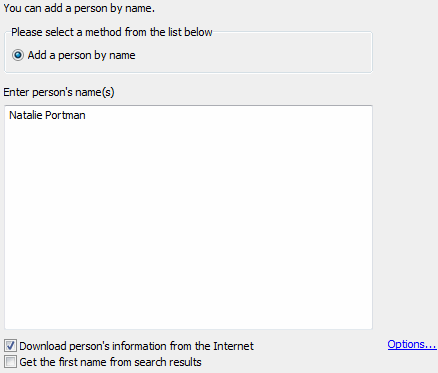
Type a name into the white field. Make sure that “Download person’s information from the Internet” box is checked.
Hint: You can enter information about persons manually by unchecking the box.
Click “Options” if you want to download information about the person from a different online movie database. Here you can also adjust download options.
Click “Next” (on the screenshot above, only a part of the wizard’s window is shown, so you can’t see the “Next” button here).
The program starts searching. It may take some time, depending on your internet connection and the availability of the sites (server load). If you haven’t checked “Get the first name from search results” box, something like the following list will appear:
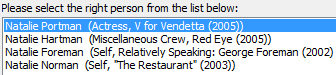
It shows you a number of results which are close to what you search. The topmost entry is usually the most relevant one, if you haven’t mistyped the name. Select the right person from the list and click “Next”.
It may happen that the person already exists in your database. It doesn’t mean that you added it earlier. Movienizer automatically creates an entry for each actress/actor it encounters in movies from your collection. However, in such case it doesn’t download any information from the internet, so the entry doesn’t contain much. If you want to get the full information about the actress, you need to update the record:
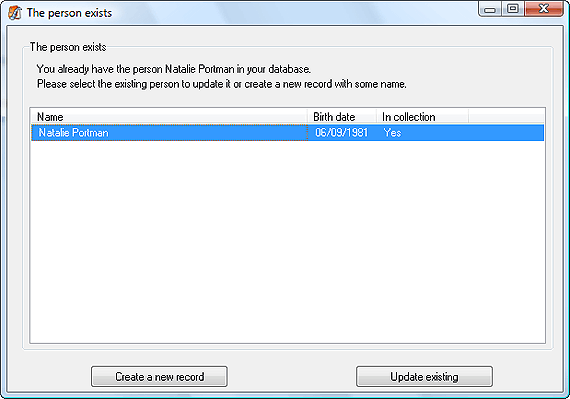
Click “Update existing” to proceed. The program starts searching and downloading the required information. Again, it may take some time. Finally Movienizer shows you a summary page:
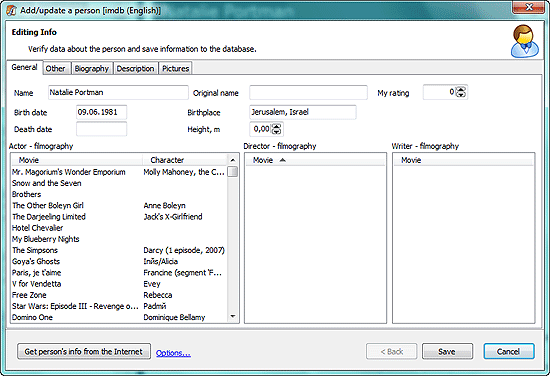
Here you can edit the downloaded information according to your needs, but for now we just click “Save” to add the person to our active database. The wizard is closed, and the information we’ve just downloaded is shown in the main window.


