 en
en Italian
 German
 French
 Spanish
 Russian
In addition to renaming and tagging audio files, the MP3 tag editor can create playlists. Such playlists contain information on how files should be played in media players like Winamp or Windows Media Player. Creating playlists resembles exporting tags to a text file.
Select the files that should be included in the playlist. In the “ID3 tags” area, click “Export/Playlists” on the toolbar:

A new window will be shown. From the “Export to” field, select the type of playlist that should be created. mp3Tag Pro supports M3U and PLS playlists.
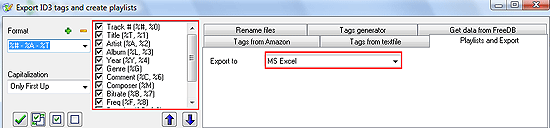
In the bottom part of the window, click “Save playlist or Export data”. Select a location to save your playlist and type some name into the “Save as” dialog.
Finally, hit “Save”. From now on you can use the playlist with virtually any media player.


