 en
en Italian
 German
 French
 Spanish
 Russian
CUE sheet is a simple text file (in ASCII encoding) which contains information concerning how audio tracks should be laid out on a CD. The structure of the file follows strict rules, but it can be easily read by a human. Normally CUE sheet files have extension .cue.
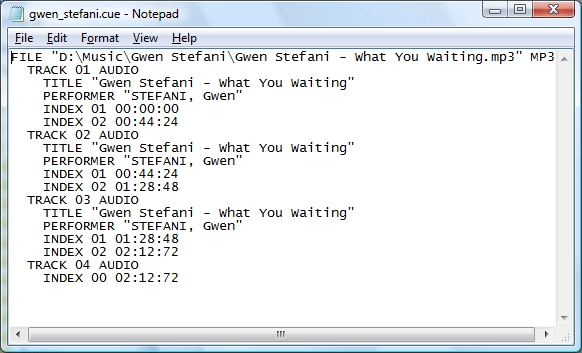
Suppose you want to burn a concert of your favorite band, but you have only single large file. You can burn it as it is, in one single track. Well, it is not the best decision. Sometimes you are in mood to listen to the whole concert at once, but sometimes you may want to jump directly to your favorite song.
What options do you have?
You can split the large file with Visual MP3 Splitter & Joiner and burn the bunch of output files as separate tracks. We have already seen how to do this.
Another option would be to only mark the large file for a split. In this case you don’t actually split the file but merely save the information about parts into a CUE file. Then you burn the large single file to CD, adding information from the CUE file. You’ll get normal tracks for easy access along with non-interrupted recording.
CUE files can be also used with media players. Nowadays many media players support CUE sheets either by using plugins or by initial design. Check if your favorite one does.
So, you can get easy access to any part of your large file even without splitting it.


