 en
en Italian
 German
 French
 Spanish
 Russian
After adding a movie to your collection, you can edit its details manually. But there are situations when you need to change the same detail for a group of movies. For example, if you moved a bunch of DVDs from a CD-rack to a folder, you may want to update the location info in the database.
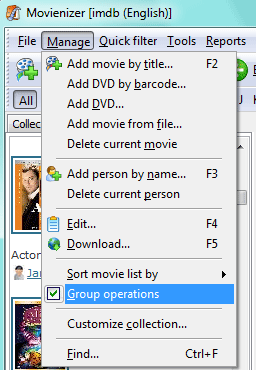
Movienizer supports group operations on movies. To activate the feature, click “Manage” – “Group operations”:
A checkbox will appear near the title of every movie in the list on the “Movies” tab:
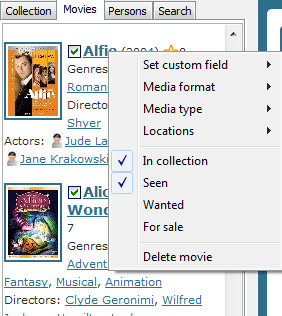
Check the movies that you want to process as a group. Then right-click a movie and choose the desired action.


