 en
en Italian
 German
 French
 Spanish
 Russian
Music Duplicate Remover comes with 3 preinstalled schemes for finding duplicate files: by ID3 tags, by sound, by ID3 tags and by sound (combined). However, the list of schemes can be edited: you can remove existing schemes, edit them, or add new ones.
To edit an existing scheme, select it from the list, change settings and click the diskette icon (next to the scheme’s name) to save the changes.

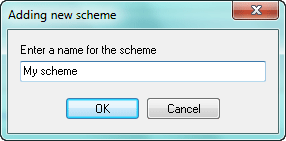
To add a new schemes, click the green plus on the right and enter a name for the new scheme:
To remove an existing duplicate search scheme, select it from the list and click the yellow minus.


